Shortcuts
The few keys worth remembering.
$ ⌘F / Ctrl+FFind in the current document, with matches highlighted in Edit, View, and Split.$ ⌘1Toggle the folder pane.$ ⌘2Toggle content-only mode.
Tasteful Intent · macOS app · Local Markdown
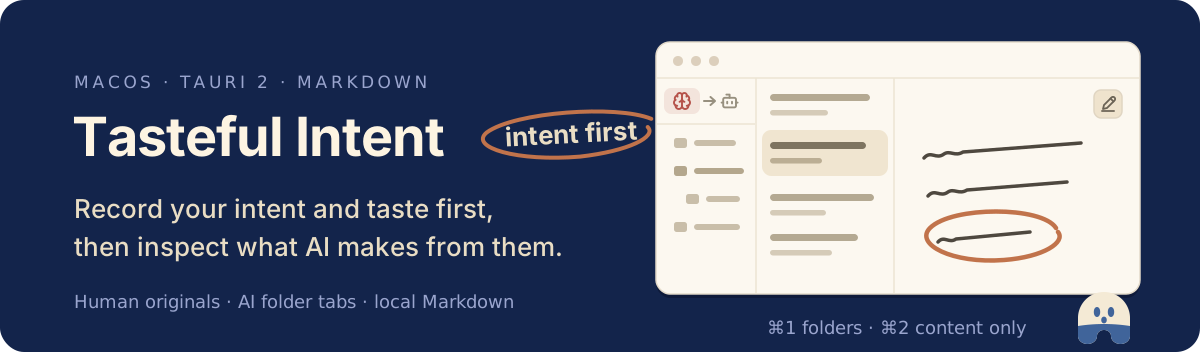
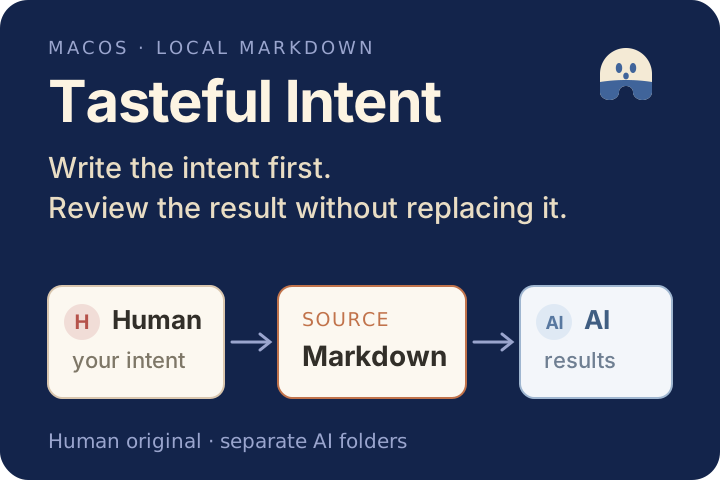
Prompts change from one request to the next. Your intent and taste last longer. Tasteful Intent keeps that source in a Human workspace and opens what AI makes in a separate AI workspace, without replacing the original.
$brew install --cask tkhwang/tap/tasteful-intentmacOS · Apple silicon & Intel · Tauri 2 · signed and notarized
What it does
The app does not run an LLM or copy your notes into its own database. It works directly with the folders you select.
Write Human notes with CodeMirror 6 and GFM rendering. Autosave every 500 ms, atomic writes, and external-change protection keep the file safe. The filename is the document title.
Open multiple AI folders as tabs. Pin frequent roots with a one- or two-character label and restore each folder's document session when you come back.
Keep several documents open and move each one through Edit, View, and Split. Human documents start in Edit; AI documents start in View.
Every selected root is canonicalized and file operations stay inside that boundary. Human deletion uses the macOS Trash instead of permanent removal. Settings live in the OS app-data directory.
Three panes, two panes, or content-only mode. English and Korean UI, four themes, four Human/AI color palettes, and two writing typefaces.
Shortcuts, modes, boundaries, and the stack underneath.
The few keys worth remembering.
$ ⌘F / Ctrl+FFind in the current document, with matches highlighted in Edit, View, and Split.$ ⌘1Toggle the folder pane.$ ⌘2Toggle content-only mode.Each open document keeps its own mode.
$ EditCodeMirror 6 editor. Human documents start here.$ ViewGFM rendering with local images. AI documents start here.$ SplitEditor and rendered view side by side.$ Three panes · Two panes · Content-onlyFolders, document list, and content, or just the content.What the app will and will not do with your files.
$ Human folderFull file operations: create, rename, move, Trash. Autosave with atomic writes.$ AI foldersEdit Markdown and create new Markdown documents only.$ Out of scopeWorkspace-wide search, tags, Markdown toolbar, attachments, wiki links, sync, accounts, built-in LLM.Settings are stored under bundle ID app.tkbetter.intentmemo in the OS app-data directory.
A desktop shell with a strict filesystem boundary.
$ Tauri 2 · RustDesktop shell and filesystem boundary.$ React 19 · TypeScriptInterface, with Biome and Vitest for checks and tests.$ CodeMirror 6 · react-markdown · remark-gfmEditing and rendering.$ Release PleaseVersioned releases with signed DMGs and a Homebrew cask update.install
Install the signed macOS app with Homebrew, or download a DMG from the Releases page.
Recommended · signed and notarized
$brew install --cask tkhwang/tap/tasteful-intentOpen the app, choose a language and appearance, connect a folder for your Human notes, and point the AI workspace at a folder of AI-created Markdown.